
For shop owners
Not in the shop?
You still know everything.
Open your phone. See what sold, who sold it, and how much cash is in the drawer. From home, from the warehouse, from anywhere.
2 months free. Then from AED 399 a month.
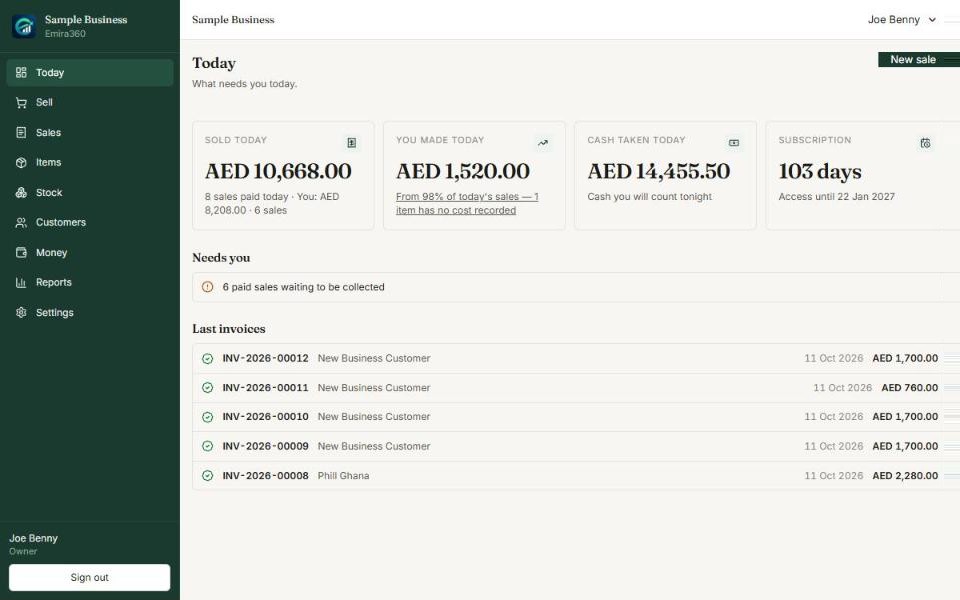
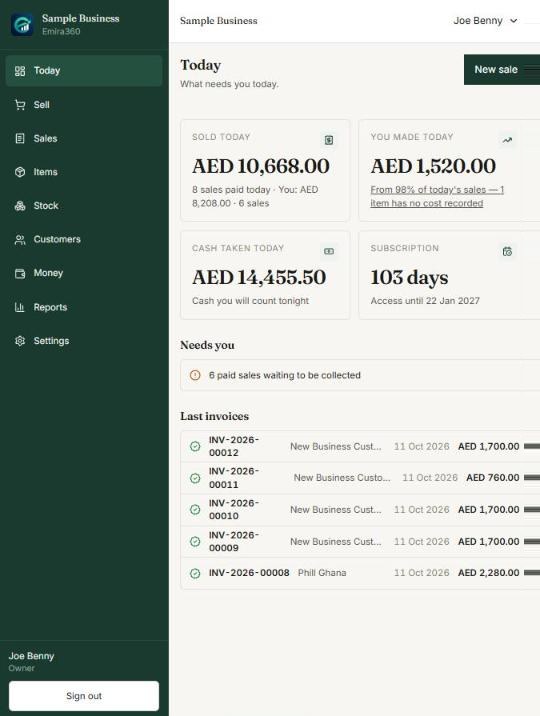
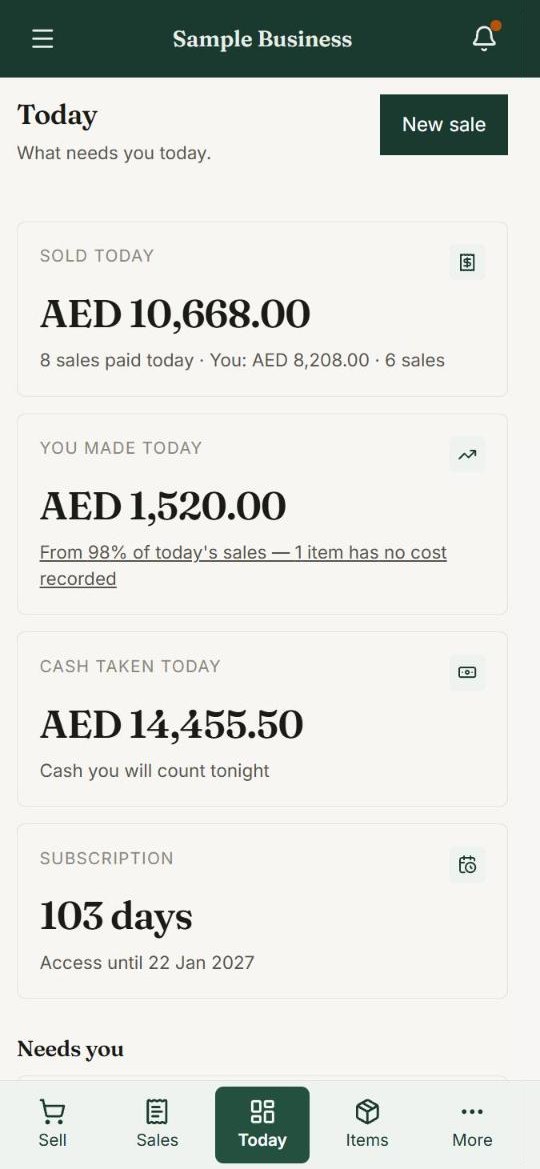
Sold today
AED 10,668
You made today
AED 1,520
Six questions every owner asks.
Emira360 answers all of them.
No phone calls to the shop. No waiting for the evening. Just open it on your phone and look. Every screen below is the real app.
Question 1
How much did we sell today?
Open Emira360 on your phone. You see what you sold, what you made, and the cash in the shop. Right now — not tomorrow.
- Sold today
- You made today (your profit)
- Cash taken today
Laptop, phone and tablet. The same shop, everywhere.
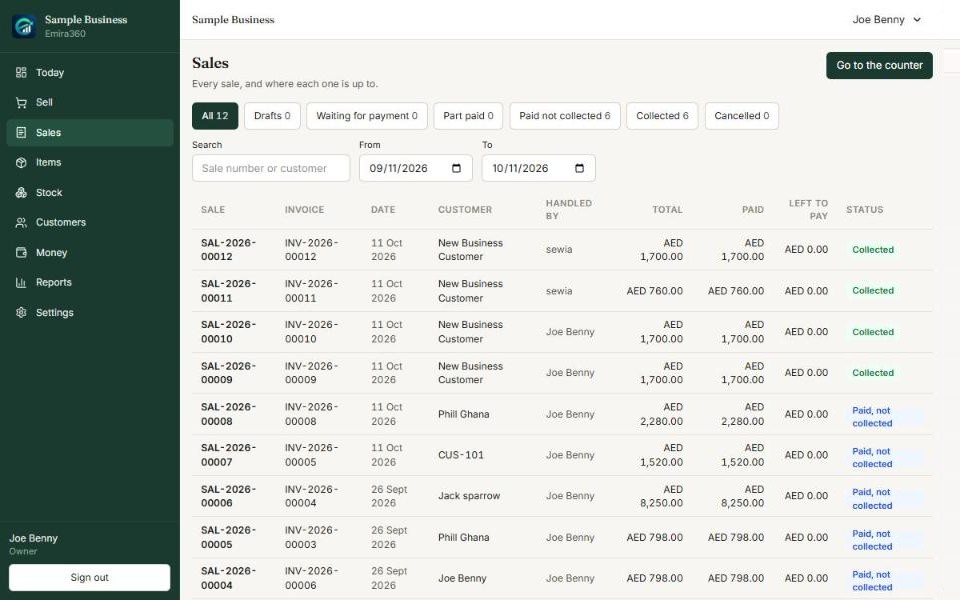
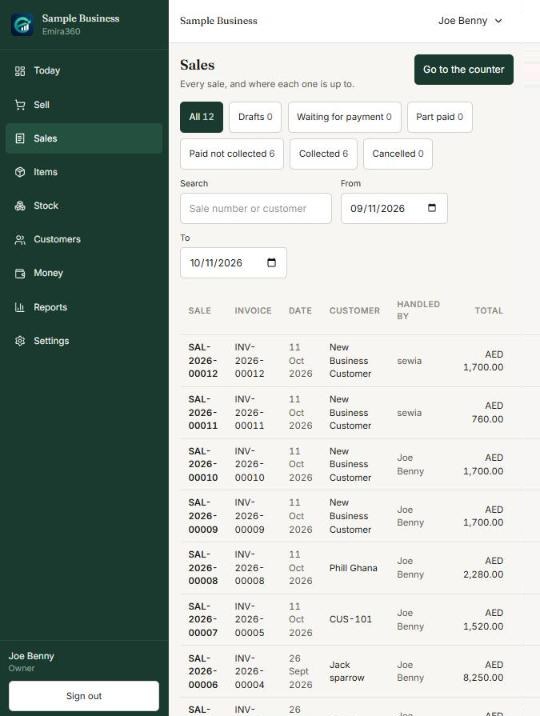
Laptop, phone and tablet. The same shop, everywhere.
Question 2
Who sold this laptop?
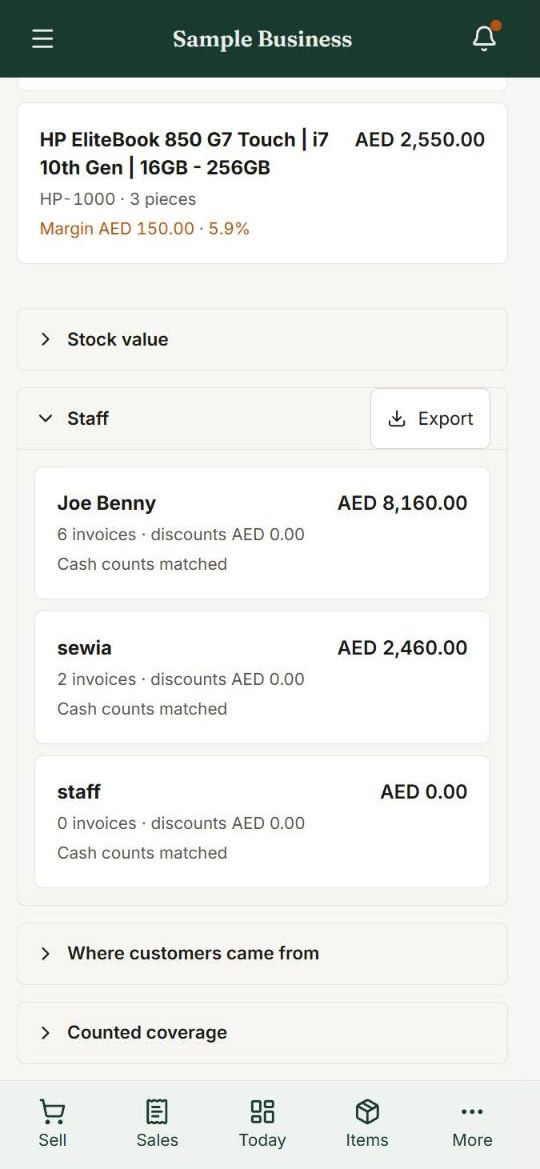
Every sale shows who made it. Your report shows what each seller sold this month, and if their cash count matched.
- Seller name on every sale
- Sales per seller
- Cash counts matched or not
Question 3
Did the customer take the item? Who gave it?
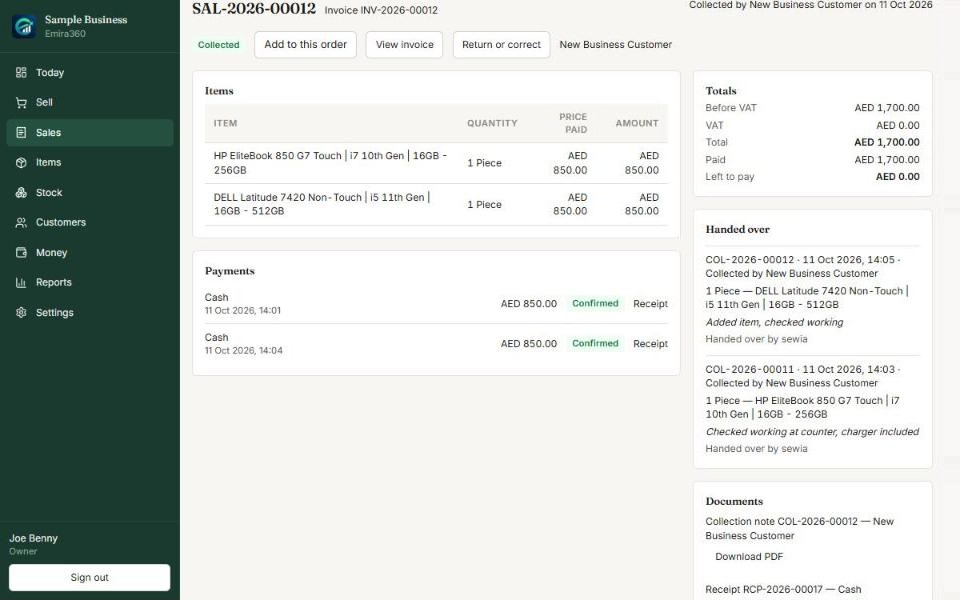
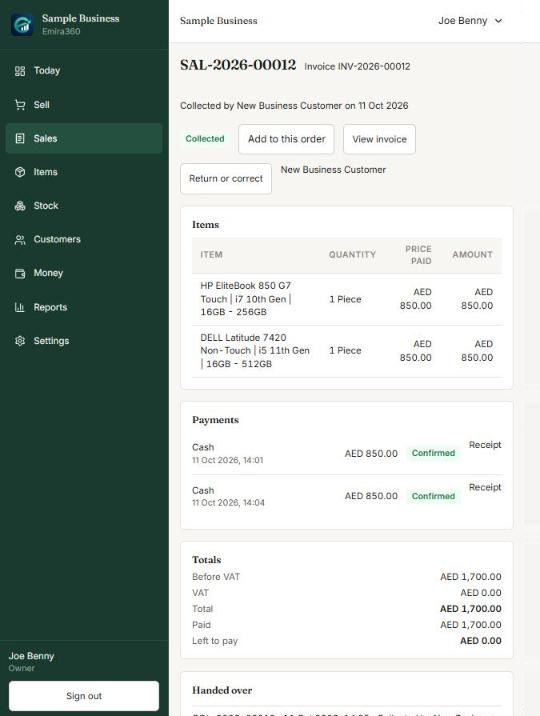
Every hand-over is written down: what left the shop, who gave it, who took it, and a note.
- Who handed it over
- Who collected it, and when
- Notes like “checked working”
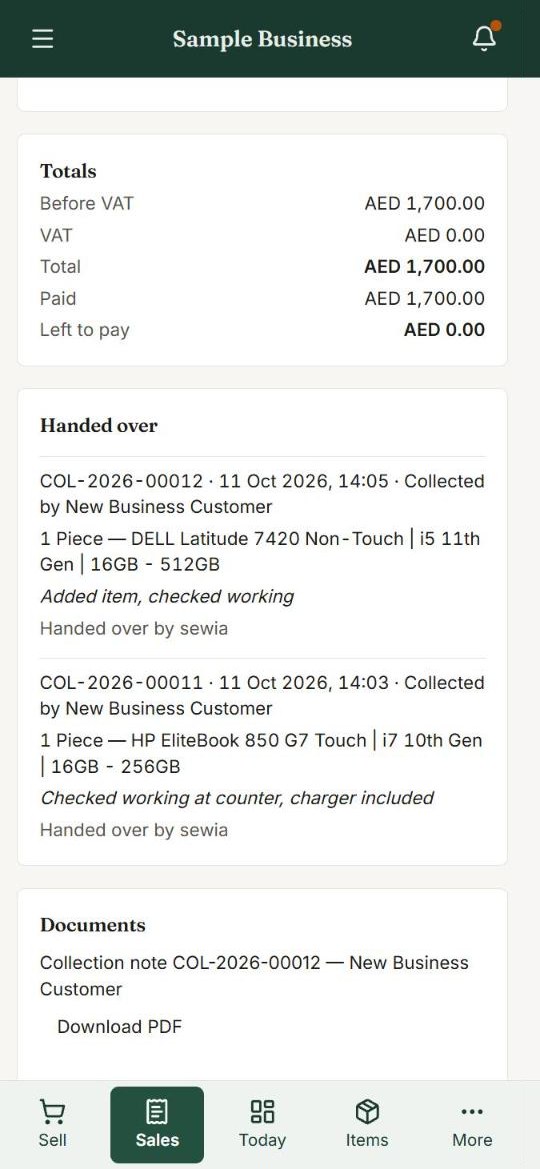
Laptop, phone and tablet. The same shop, everywhere.
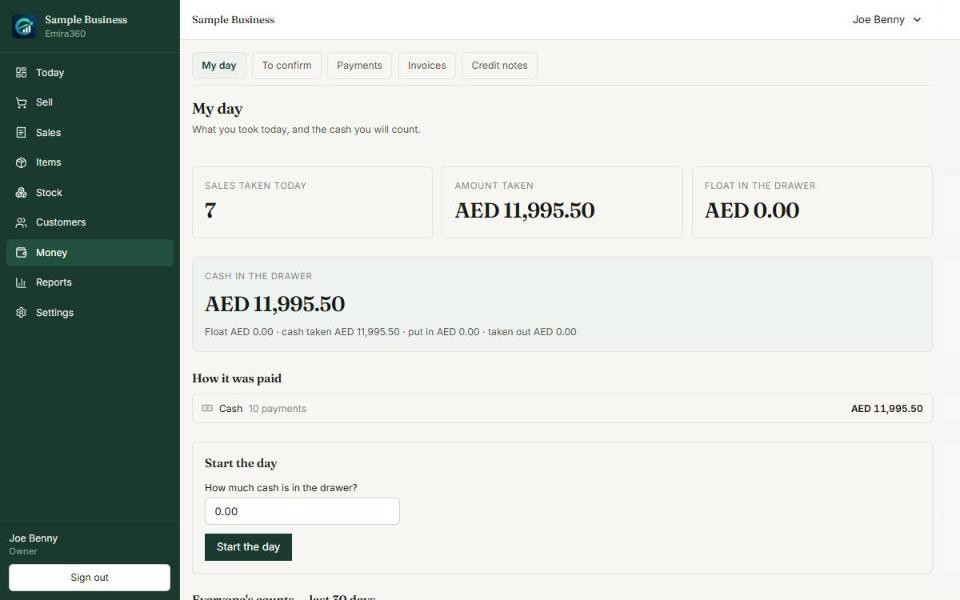
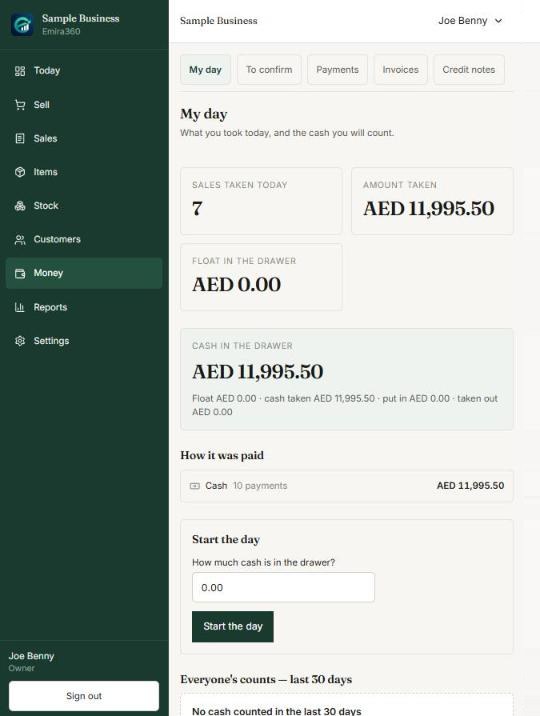
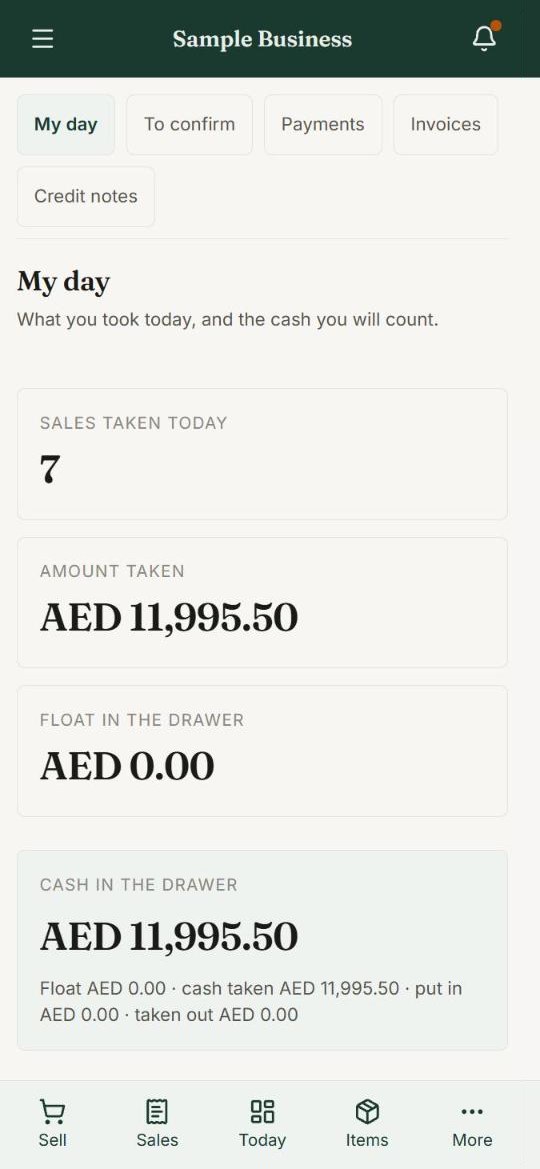
Laptop, phone and tablet. The same shop, everywhere.
Question 4
Is the cash in the drawer correct?
Emira360 knows how much cash should be there. At night, your staff count it. If it does not match, you see it.
- Cash that should be in the drawer
- Cash and bank transfer, separately
- End-of-day count by each seller
Question 5
What is sitting in my shop and not selling?
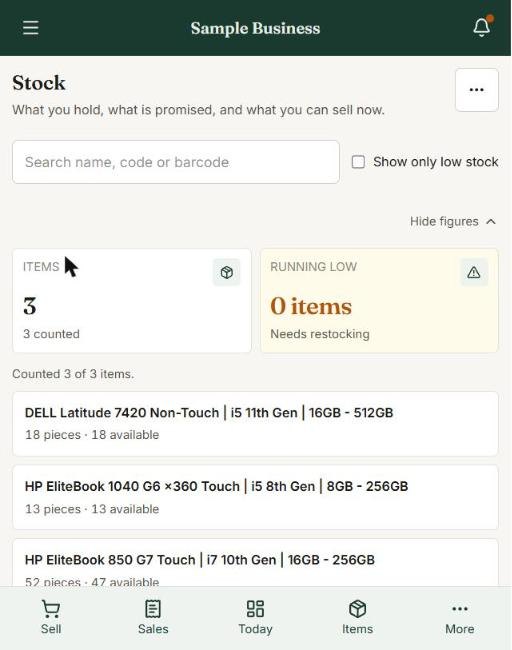
See how much your stock is worth, and which items have not sold in 60 days. Move them before they lose value.
- Stock worth, at what it cost you
- Not moving in 60 days
- Running low
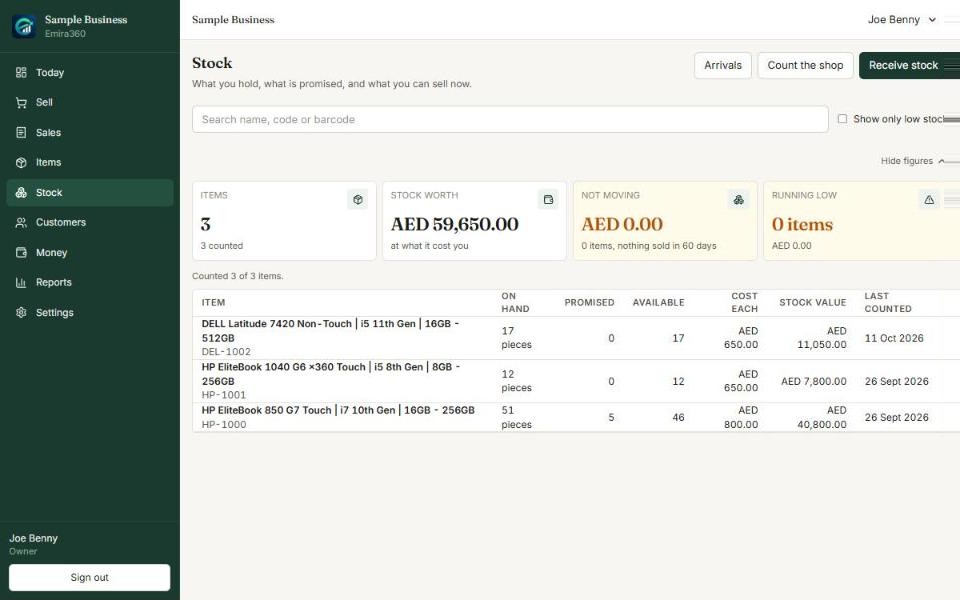
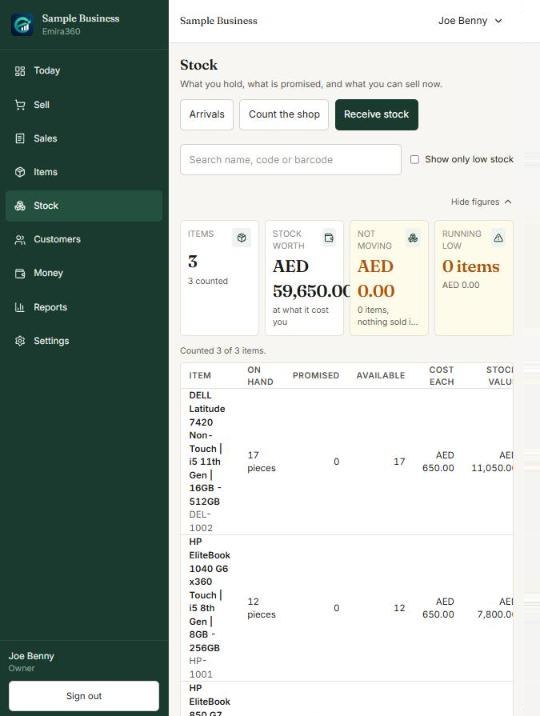
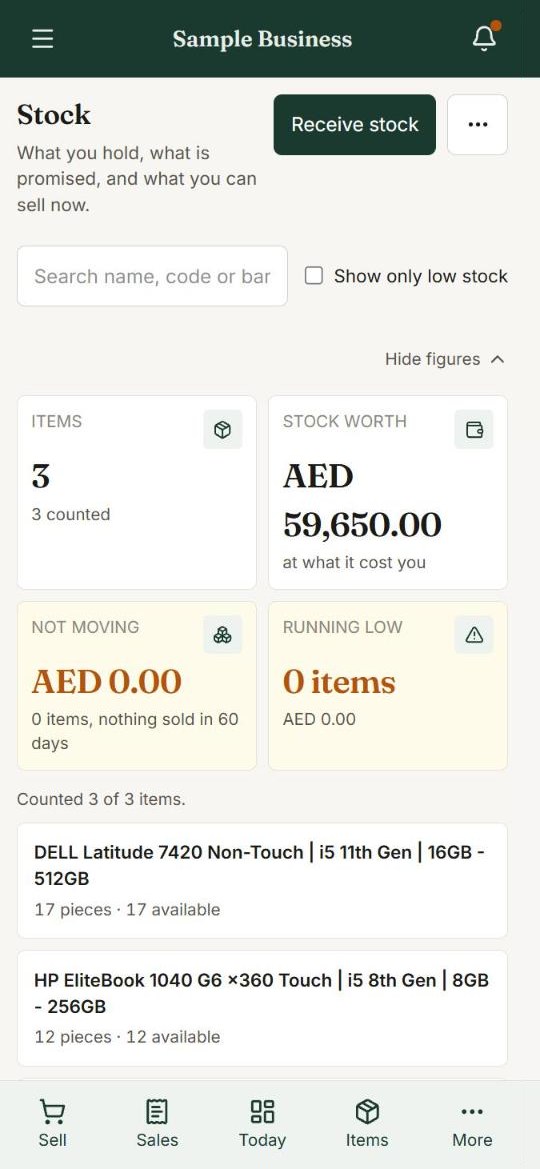
Laptop, phone and tablet. The same shop, everywhere.
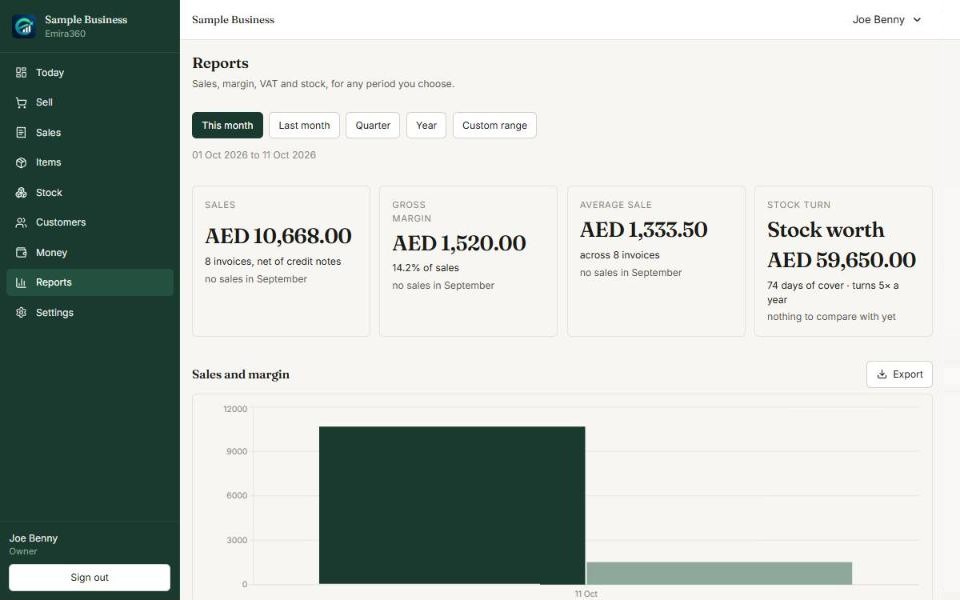
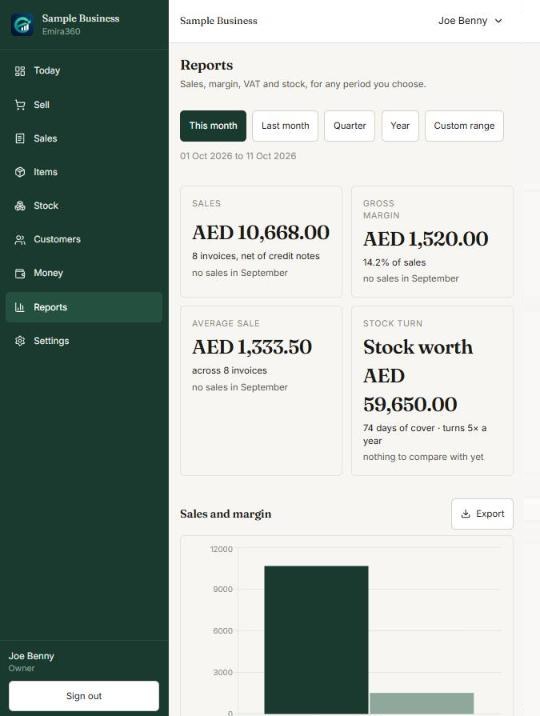
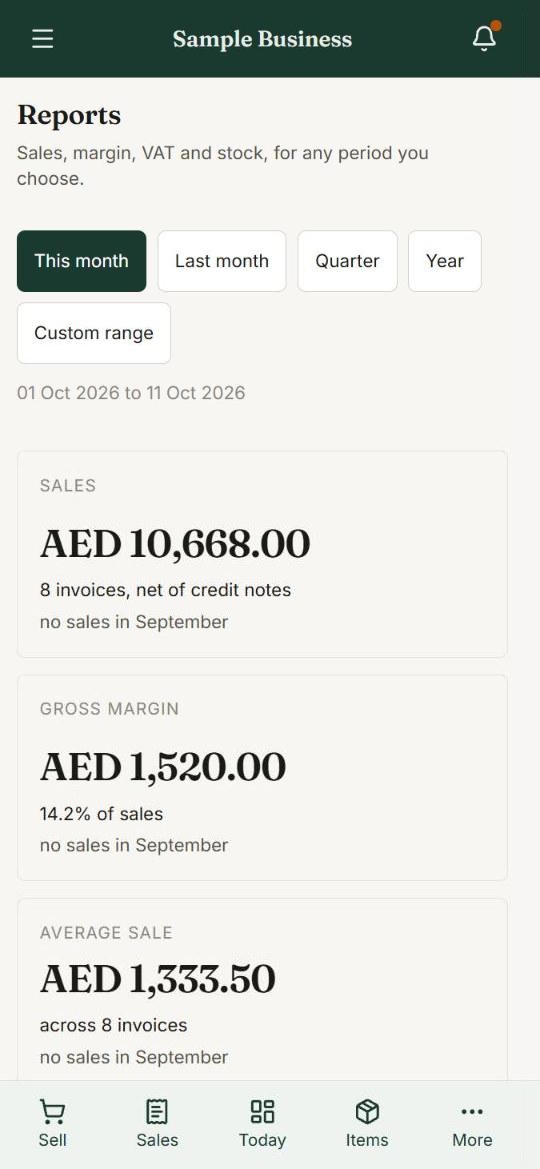
Laptop, phone and tablet. The same shop, everywhere.
Question 6
Am I really making money this month?
Reports show your sales and your profit for this month, last month, or any dates you choose.
- Sales and profit
- This month, last month, year
- Export for your accountant
Reports
Reports in simple words.
No accounting language. Just the answers you need to run your business.
Sales
Today, this week, this month, or any dates.
Profit
What you made after cost. Not just what you sold.
Best items
What sells fast, and what is not moving.
Best customers
Who buys the most. Who has gone quiet.
Staff
What each seller sold and the cash they took.
VAT summary
Ready for your accountant. Export in one click.
Words you will actually see on the screen.
Your staff, your rules
They sell. Your profit stays private.
Your sellers see what they need to sell. They do not see what you paid, how much you make, or your reports.
Owner
Sees everything. Adds staff. Changes settings.
Seller
Sells and takes payment. Sees own sales and cash only.
Inventory
Receives and counts stock. No money, no profit.
Finance
Payments, invoices, reports and VAT.
A day away from the shop
You are somewhere else.
Your shop is in your hand.
-
9:00 am
The shop opens
Your seller enters the cash in the drawer. You see the day has started.
-
11:30 am
A big sale
A customer buys 5 laptops. You see the sale, the price and who sold it.
-
2:00 pm
A bank transfer arrives
You confirm the money is in your account. Then the goods can leave.
-
6:00 pm
Quick look
Sold today, profit today, and what is still waiting to be collected.
-
10:00 pm
Shop closes
Each seller counts the cash. If it does not match, you know tonight.
Know your shop from anywhere.
Try it for 2 months, free. In Deira or Sharjah, we can visit your shop and set it up with you.
Screens show Sample Business. Your shop’s numbers stay private to you.